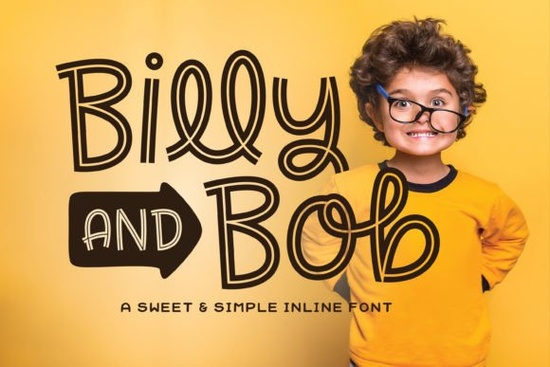
If you’ve been searching for a font that feels hand-drawn, friendly, and full of personality without being overwhelming, Billy and Bob Font might be just what your next project needs. It’s especially useful if you’re working on greeting cards, kids’ branding, craft projects, or anything where warmth and playfulness matter. The inline style gives it charm, and the automatic ligatures help keep things looking natural no extra work required if your software supports OpenType.
What makes Billy and Bob different from other script fonts?
Many script fonts try to mimic handwriting but end up feeling stiff or overly ornate. Billy and Bob avoids that. Its lines are clean, its curves gentle, and its ligatures those little connections between letters appear automatically in programs like Adobe Illustrator, Photoshop, Canva, or Affinity Designer. You don’t need to toggle special features or dig into glyph panels unless you want to. It’s designed to feel effortless.
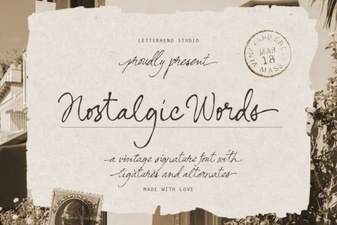
It pairs well with fonts that have more structure, like Thunder Heat Duo for contrast, or something nostalgic like Nostalgic Words when you’re building layered designs. If you’re doing holiday-themed work, you might even consider mixing it with Christmas Wedding for seasonal flair.
When should I use this font?
Billy and Bob shines at larger sizes. That’s because the inline details the little gaps and strokes inside each letter need space to breathe. Think posters, tote bags, wall art, book covers, or social media graphics. It’s not ideal for body text or tiny labels. But for headlines, logos, or decorative phrases? Perfect.
- Kids’ products birthday invites, classroom decor, storybooks
- Small business branding cafes, bakeries, boutiques with a handmade vibe
- Crafters and POD sellers mugs, stickers, t-shirts with cute quotes
- Personal projects journals, scrapbooks, gift tags
If you liked the bubbly energy of Barbie Cute, you’ll probably enjoy how Billy and Bob brings a similar cheerfulness but with a more organic, sketched feel.
Do I need special software to use the ligatures?
Not really. Most modern design tools whether you’re using desktop apps or browser-based editors handle OpenType features by default. That means as you type, “tt” or “ll” or other common letter pairs will automatically connect in a way that looks handwritten. No manual swapping needed.
That said, if you’re using very old software or a basic text editor (like Microsoft Word without advanced typography settings), you might not see the ligatures. In those cases, you can still use the font it just won’t have the same fluid, connected look. For best results, stick to design-forward platforms.
How many styles or weights does it come in?
Billy and Bob is a single-weight font with one cohesive style. There’s no bold or italic version included, which keeps things simple. That also means you’ll want to pair it thoughtfully. Use color, size, or layout to create contrast instead of relying on font weights.
For example, try setting a headline in Billy and Bob, then using a clean sans-serif underneath for supporting text. Or layer it over a textured background to enhance that handcrafted aesthetic.
Is this font good for commercial use?
Yes. Like most Creative Fabrica fonts, Billy and Bob comes with a commercial license. You can use it on products you sell whether that’s printables, physical goods, or digital templates. Just make sure you’re not redistributing the font file itself or claiming it as your own creation.
Always double-check the license terms after purchase, since policies can update. But generally, if you’re creating end products (not reselling fonts or bundling them into apps/themes), you’re covered.
Quick tips before you download
- Test it big. Open your design tool and type out a few words at 72pt or larger. See how the details hold up.
- Check your software. Make sure ligatures are enabled. In Illustrator, go to Window > Type > OpenType. In Canva, they usually work by default.
- Pair with purpose. Don’t force it into serious contexts. This font smiles let it.
- Save a sample. Once you install it, create a cheat sheet of tricky letter combinations so you remember how the ligatures behave.
If you’re already browsing script fonts, take a minute to compare Billy and Bob with others in the category. Sometimes the right font isn’t the fanciest it’s the one that feels like it was made for your specific idea.
Next step: Download the preview files or test drive the font in your favorite app before committing. A quick mockup can tell you everything you need to know.
Download Now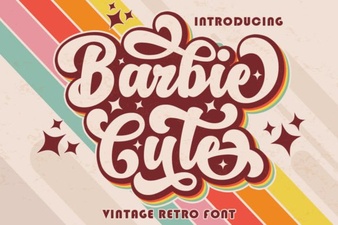 Barbie-Inspired Fonts for Fun Digital Projects
 Nostalgic Fonts for Creative Projects & Designs
 Delta Lake Font: Free Download & Creative Uses
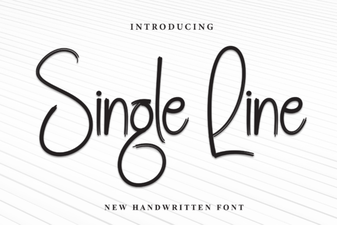 Single Line Fonts for Clean, Minimalist Digital Design
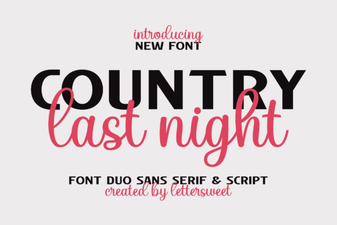 Crafting Projects with the Country Last Night Duo Font
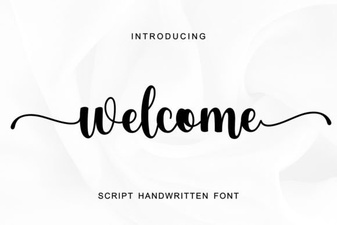 Welcome Fonts for Creative Projects & Design Ideas